What are Published Subscriptions?
When a share or option has its status set to "Published", that means the subscription is currently visible to members. Members can select available shares and options when signing up via the join link and when editing their subscription.
You can review all of your published shares and options from your dashboard by going to the Logistics page and selecting "Published Subscriptions" under the Subscriptions section.
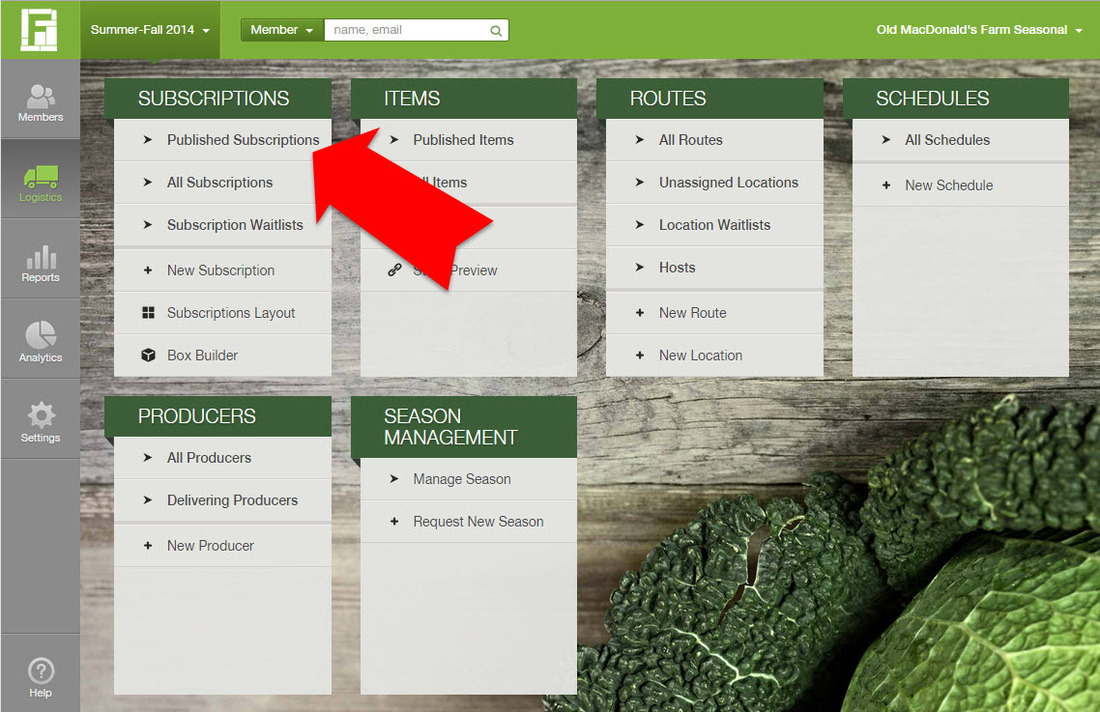
What can I do from the list of published subscriptions?
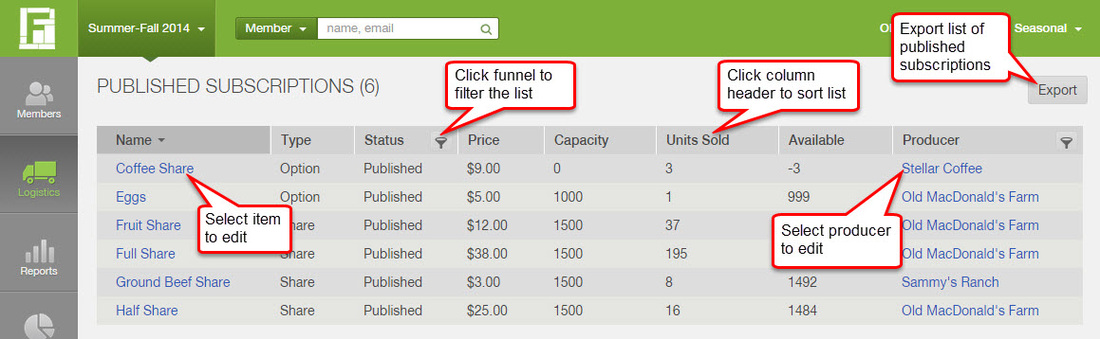
Sort by clicking column headers: To sort the list of subscriptions, click on the column header for the field that you want to sort by.
Filter by click on the funnel: Next to the column headers for Producer and Status, you can click the funnel symbol to filter the list for specific producers or a specific status.
Download the list by clicking Export: To download a list of all published shares and options, click the Export button in the upper right corner.
Select a subscription to edit: To edit a specific share or option, click on its name from the list (learn more).
Select a producer to edit: To review and edit a producer's profile, click on its name under the Producer column (learn more).
How do I unpublish a share or option?
To unpublish a subscription so that it no longer appears in your sign-up process, you can take the following steps:
- From the list of published subscriptions, select the one that you wish to unpublish
- Click Edit in the upper right corner
- Change the Status field from Published to Draft
- Click Save
Note that if you unpublish a subscription, this will not affect members who already have the subscription assigned to their accounts. If you need help removing a specific subscription from all customer accounts, contact us at support@farmigo.com.
Did this article answer your question?
You might also find these helpful
Still have questions?
Our support team is here.