How do I apply to accept electronic check?
Check Commerce (Nuvei) is an online gateway that transmits and processes electronic check (ACH) payments. To execute a transaction, a member enters their bank routing number, bank account number, and the last four digits of their Social Security number.
What needs to be sent to complete your application?
You will need the Nuvei Application and Nuvei Schedule A. Download both forms:
Questions about the forms? Email sales@checkcommerce.com.
- A completed application, initialed and signed where required
- Schedule A with signature
- Your EIN number included on the contract
- A voided check
Where to send your application and check: sales@checkcommerce.com.
Who to contact at Nuvei
If you have a question about your application or a general question about your Nuvei account:
- Email: ACHrequests@nuvei.com
- Merchant Support: +1 888-263-0467
Once your application is accepted
You will receive an email with your Merchant ID. To start accepting electronic checks, enter your Merchant ID into the Farmigo dashboard.
Open Payment Settings
Go to
Settings → Advanced → Payment.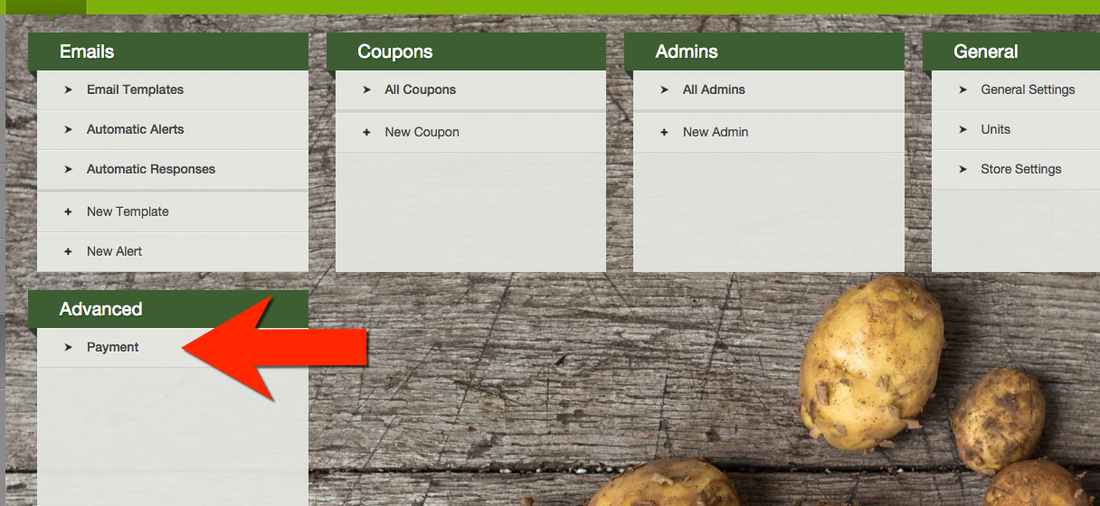
Enter your Merchant ID
Open the Payment Settings tab, select Edit, and enter your MerchantID number. Select Save.
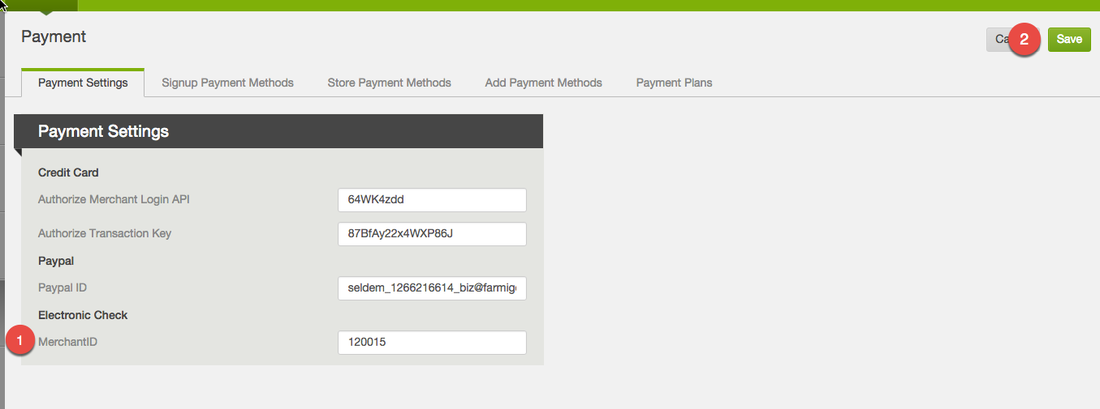
See Adjusting Payment Settings for more information.
Final steps: enable electronic check payment methods
Add electronic check as a Payment Method, Signup Payment Method, Store Payment Method, and Payment Plan, where applicable.
- Go to each applicable tab and select Edit.
- Drag electronic check from Available to Selected.
- Select Save. Repeat for each applicable section.
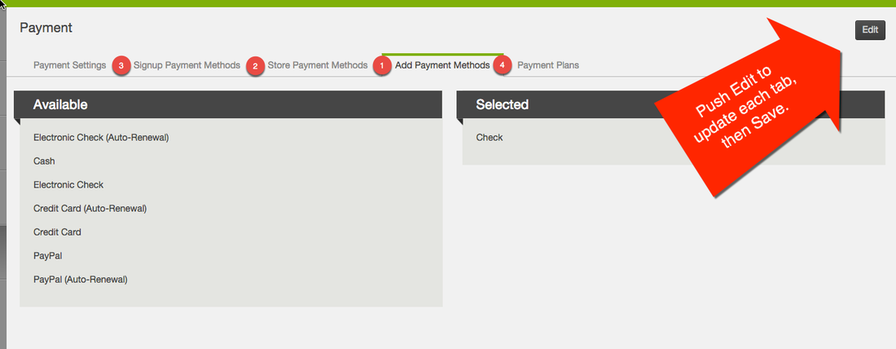
- Adding Payment Methods
- Adding Sign-up Payment Methods
- Adding Store Payment Methods
- Updating Payment Plans
Updating deposit accounts
If your bank account changes, update your account for deposits directly with Check Commerce.
- Submit the Bank Change Form together with a voided check or bank letter.
- If you DocuSign or e-sign the document, include the certificate of completion for verification.
- If you wet-sign the form, the bank change team may also request a copy of your driver’s license.
Download the Bank Change Form. Once completed, send the form and supporting documents to BankChanges@merchant-support.com.
You can also reach the bank change team by phone at 1 (855) 231-1501.
Did this article answer your question?
You might also find these helpful
Still have questions?
Our support team is here.