Coupons: How do I manage coupons?
How do I manage coupons?
Coupons are a great tool to incentivize member sign-ups. You can generate coupon codes through the system to be redeemed at sign-up by the member. There are 2 types of coupons that can be used:1. A fixed dollar ($) discount. This discount is applied as a complimentary payment to the new member balance.
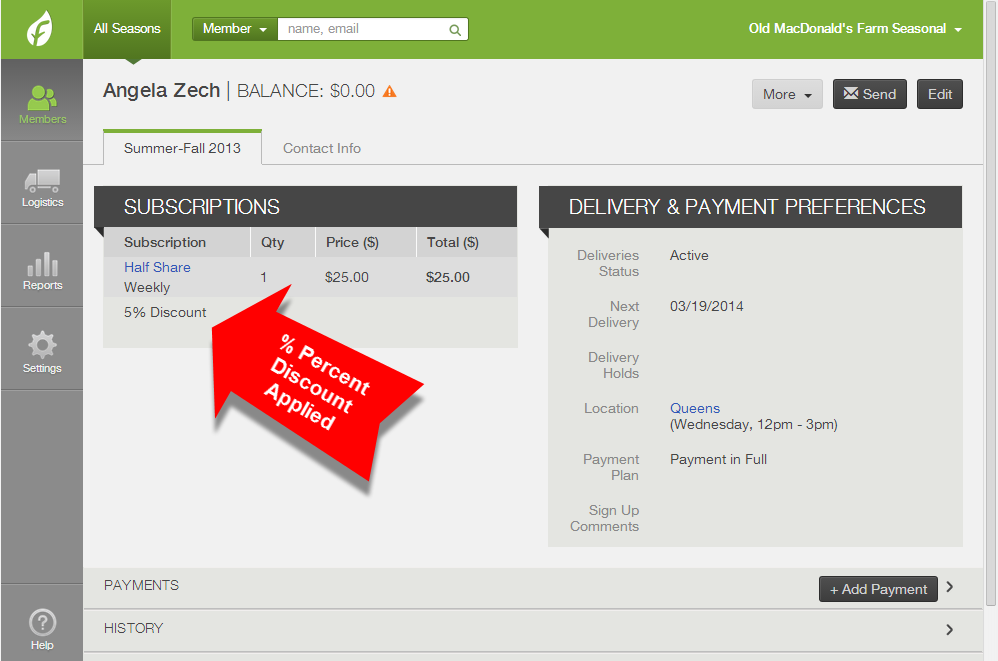
2. A percentage (%) discount - This discount is set as a % discount on the member subscription and upon each delivery the coupon discount will be deducted from the subscription value.
This page will help you manage subscription coupons. Click here to learn how to manage Web Store Coupons.
How to see if a member used a subscription coupon
A fixed dollar amount ($) coupon will appear as a complimentary payment. A percent discount (%) will appear next to a member's subscription.% - Percentage discount
Appears under the member's subscription. If you want to remove the discount, click Edit in the upper right corner of the member's account, change the percentage to zero, and save changes.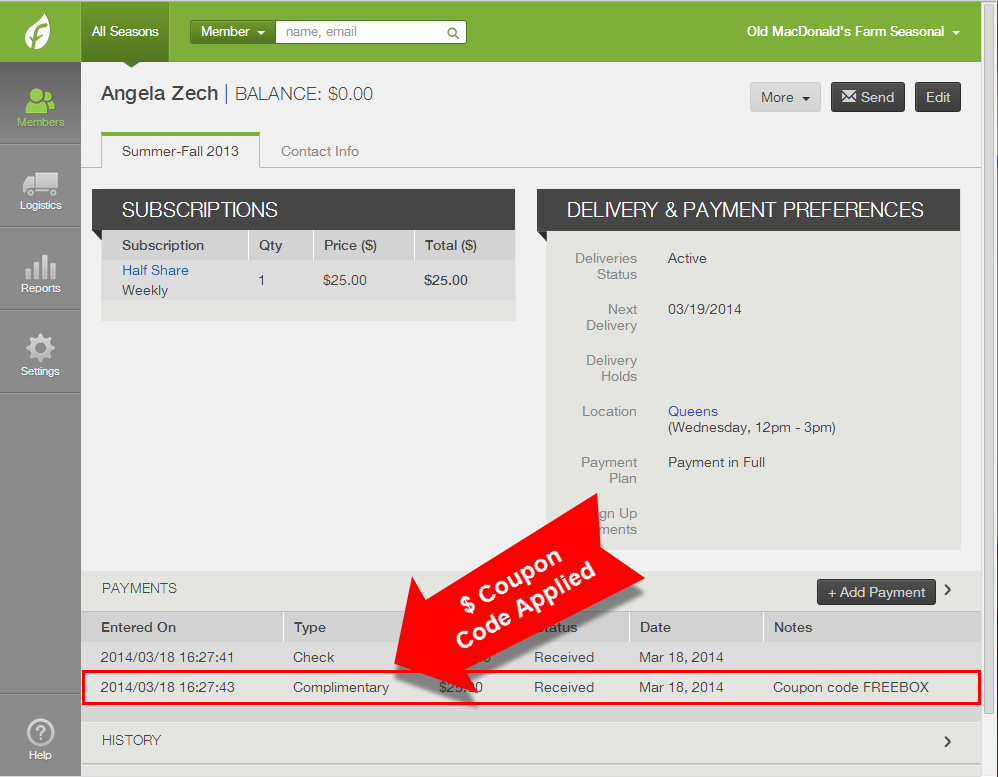
To see which coupon code was used, check the subscriptions export (learn more below).
How to view coupon usage
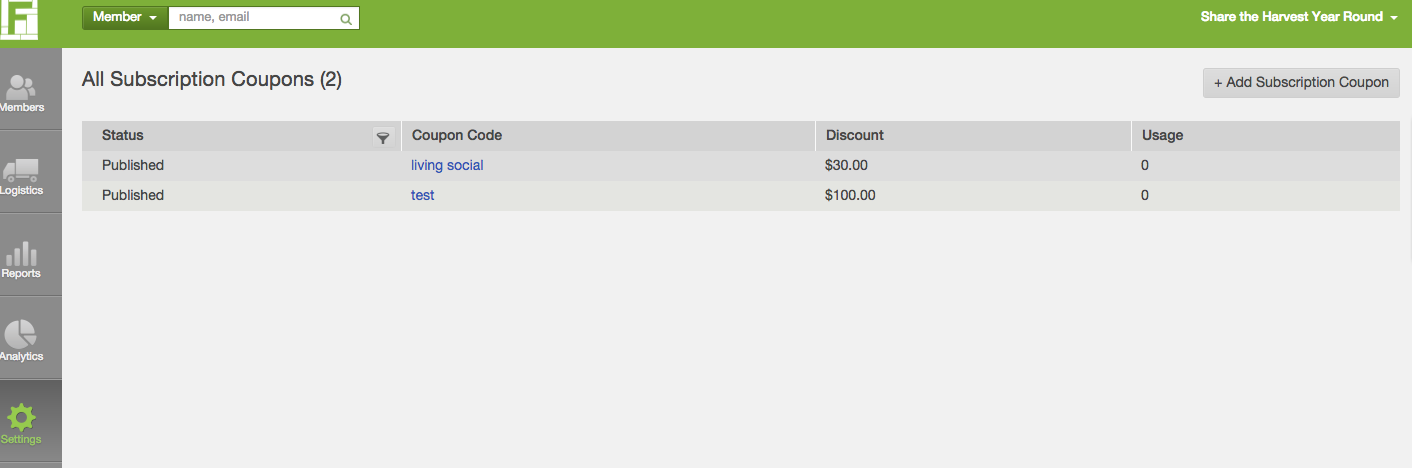
Go to Settings --> Coupons --> All Subscription CouponsHere you will see the total usage for each coupon.
How Do I Track Subscription Coupon Usage?
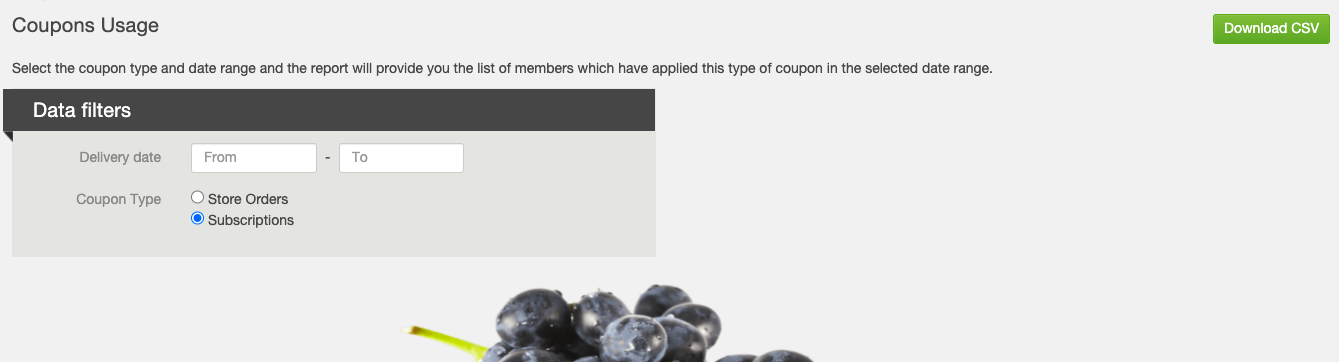
To download a report of the Subscription Coupons Usage, go to Reports --> Accounting --> Coupons Usage.Set the date range you would like to view usage for, select Subscriptions, and download. The system will generate a csv with the date used, the member, code, and dollar amount off of their purchase.
Did this article answer your question?
You might also find these helpful
Still have questions?
Our support team is here.