How do I apply to accept credit cards with Farmigo?
To accept credit/debit cards through Farmigo, you need a Merchant Services Provider AND an Authorize.net gateway account. You may use any merchant provider/processor you would like as long as they are compatible with Authorize.net.
Checklist for Setting Up Credit/Debit Card Payment
Apply for a Merchant Services Provider Account
You may open an account with any Merchant Provider that also works with the Authorize.net gateway.
Farmigo Partners:
- US Customers: 360 Payments — 360 Payments Application
- Canadian Customers: START Merchant Services — 1-888-573-7587 ext 107
Ask your Merchant to set up an Authorize.net account
Authorize.net is the gateway that allows Farmigo to securely communicate with your merchant services processor. Ask your Merchant Services Provider to set up your Authorize.net gateway so the processor and gateway are set up together.
Verify Transaction Processing mode is enabled
To process payments your gateway must be in processing mode.
Go to
Account → Account and API Settingsand verify the setting is set to Enabled.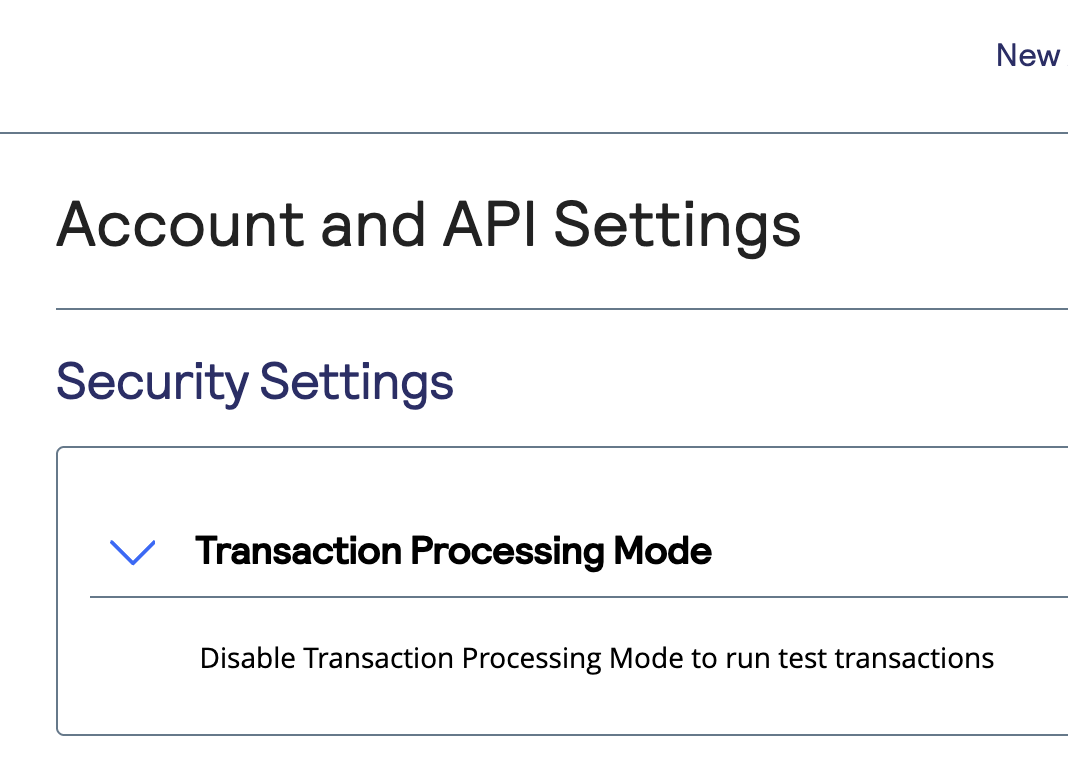
Verify Advanced Fraud Detection Suite Settings
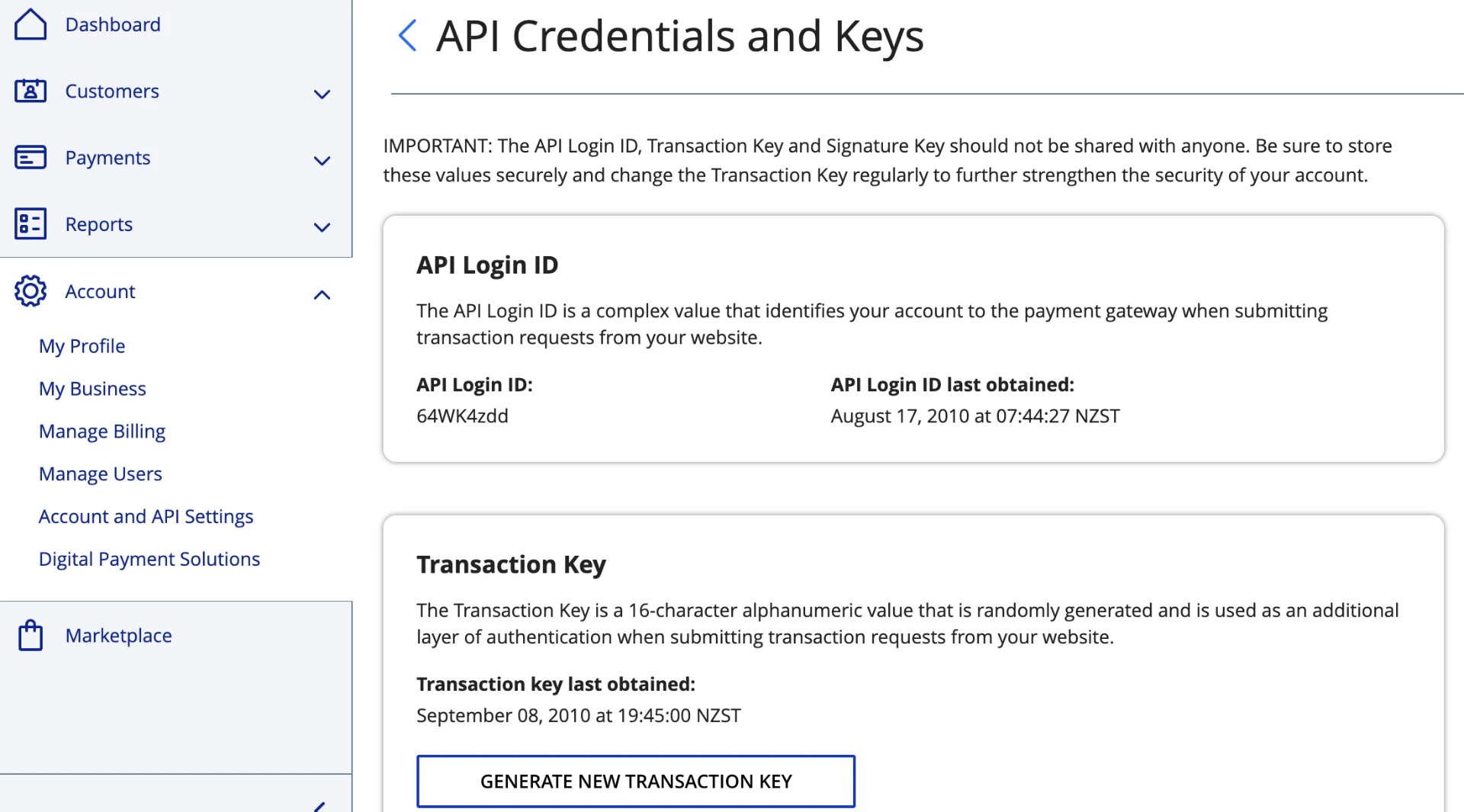
Put your API Login ID & Transaction Key into the dashboard
In order to accept credit and debit card payments through your Farmigo system, you need the following from your Authorize.net account:
- API Login ID
- Transaction Key
Verify Authorize.net Configuration is valid
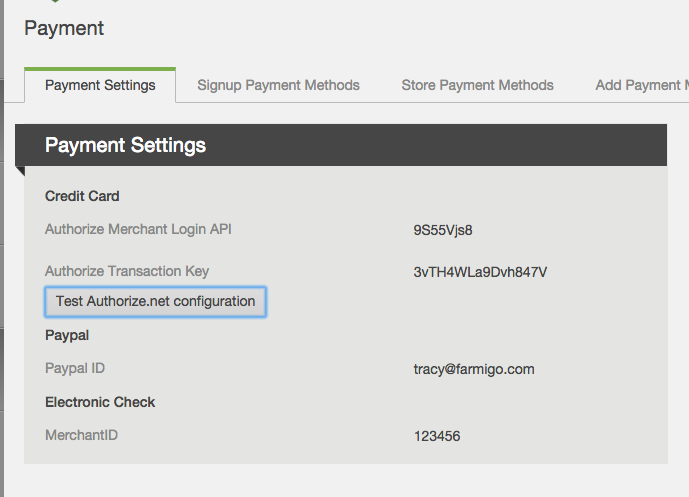
Go to
Settings → Advanced → Paymentto verify your account is configured correctly.After entering your API Login ID and Transaction Key, click the Test Authorize.net Configuration button. If the system does not display a "Successful" message, contact support@farmigo.com for assistance.
Set up Payment Plans and Payment Settings
Contact Farmigo Support to have the payment plans for your program added to your system. If you would like to charge customers a fee when signing up with a credit card, let us know when setting up your plans.
Need help? Contact us directly.
You may always email support@farmigo.com if you have any questions.
360 Payments (US)
Phone: 855-360-0360
Email: support@360payments.com
START Merchant Services (Canada)
Phone: 1-888-573-7587 ext 107
Authorize.net
Toll-Free: 877-447-3938
Hours: Monday–Friday, 5 AM – 5 PM PST (closed major holidays)
Did this article answer your question?
You might also find these helpful
Still have questions?
Our support team is here.