Producers: How do I create a new producer profile?
How do I create a producer profile?
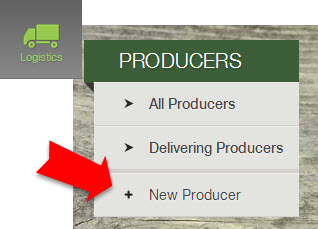
- Go to Logistics from the left sidebar menu.
- Under the Producer section, click + New Producer.
(If you are viewing All Producers or Delivering Producers, you may also click + Add Producer at the top of these lists in order to create a new producer profile.)
You can give producers limited access to your dashboard. Learn more.
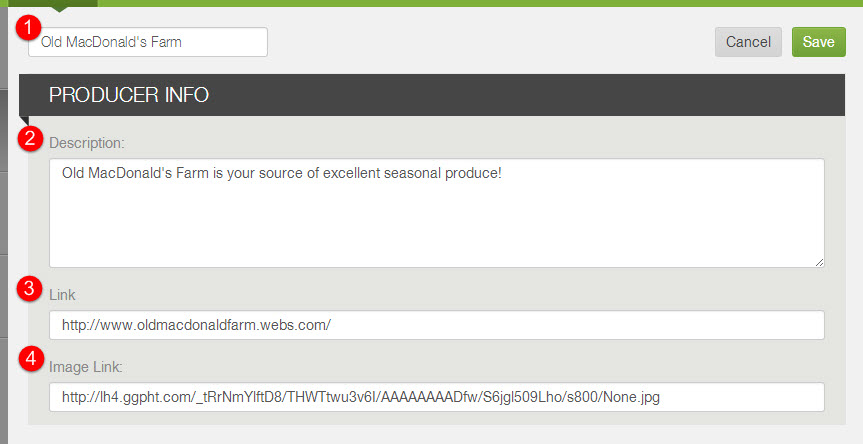
- Enter the producer's (1) name, (2) description, and an (4) image link; then save changes. If you do not have an image link ready, enter http:// in the image link field. You may also include a (3) link to more information about the producer that members may view. Click here to learn more about editing producer profiles.
Did this article answer your question?
You might also find these helpful
Still have questions?
Our support team is here.