How to schedule a one-time make-up delivery for a member
If a member has committed to your program for a defined season, you may want to schedule the one-time make-up delivery for the following reasons:
- The member will be missing a delivery due to vacation
- The member has a positive credit to their account and they need to make-up a missed delivery.
If you would like to allow members to schedule their own make-up shares or learn more about the ways you can reimburse holds, click here.
To schedule the one-time delivery of a member's shares/options:
- Open the member's account in the dashboard
- Click the + button to add a share or option to the member's subscription
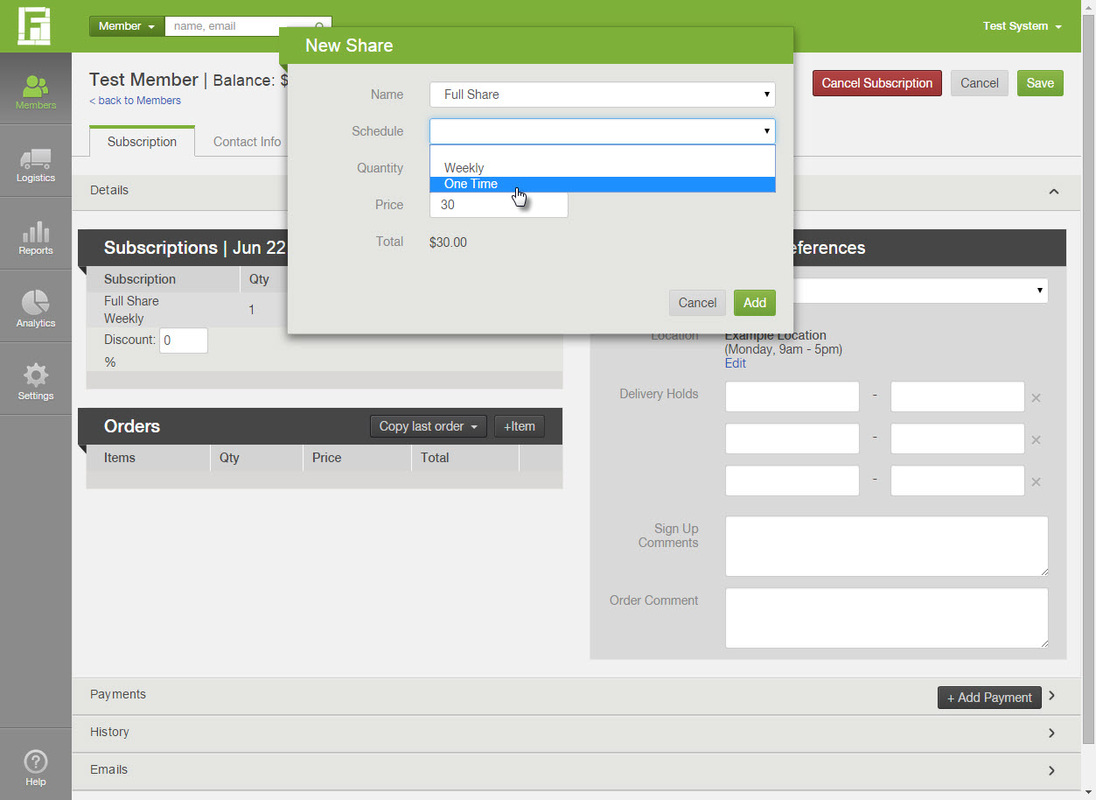
- In the box that pops up, select the subscription for which you would like to schedule the make-up delivery
- In the schedule field, select "One-time"
- Select the date to schedule the make-up delivery
- Click Add and Save changes
Did this article answer your question?
You might also find these helpful
Still have questions?
Our support team is here.