Customized Labels
Settings > General > General Settings > Customized Labels
The first section of Customized Member Interface section will allow you to use html to customize your Farmigo member interfaces. This is an optional advanced step, to learn more click here.
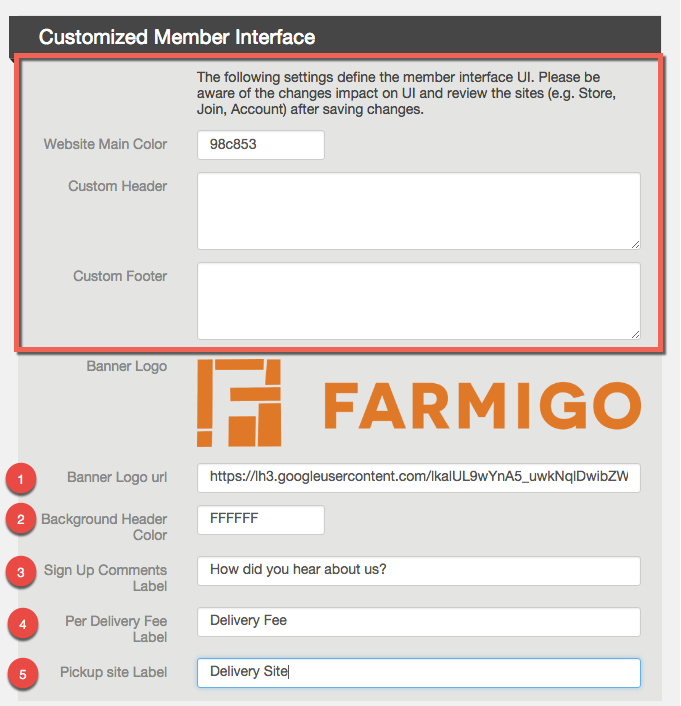
 4. Per Delivery Fee Label
If you charge a per delivery fee for a location, this is listed in the signup process by default as an "Extra Fuel Charge". To change the label for this fee, enter alternative text in this field and save changes.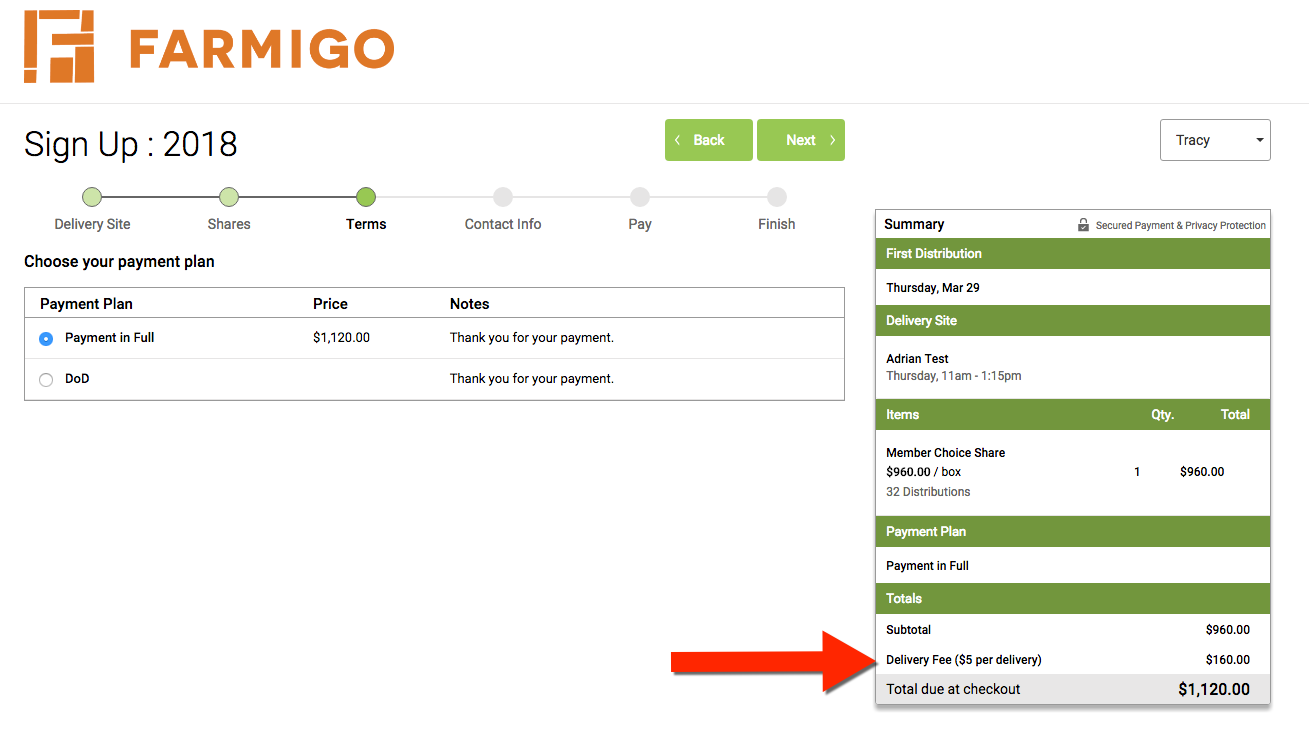 5. Pick-up Site
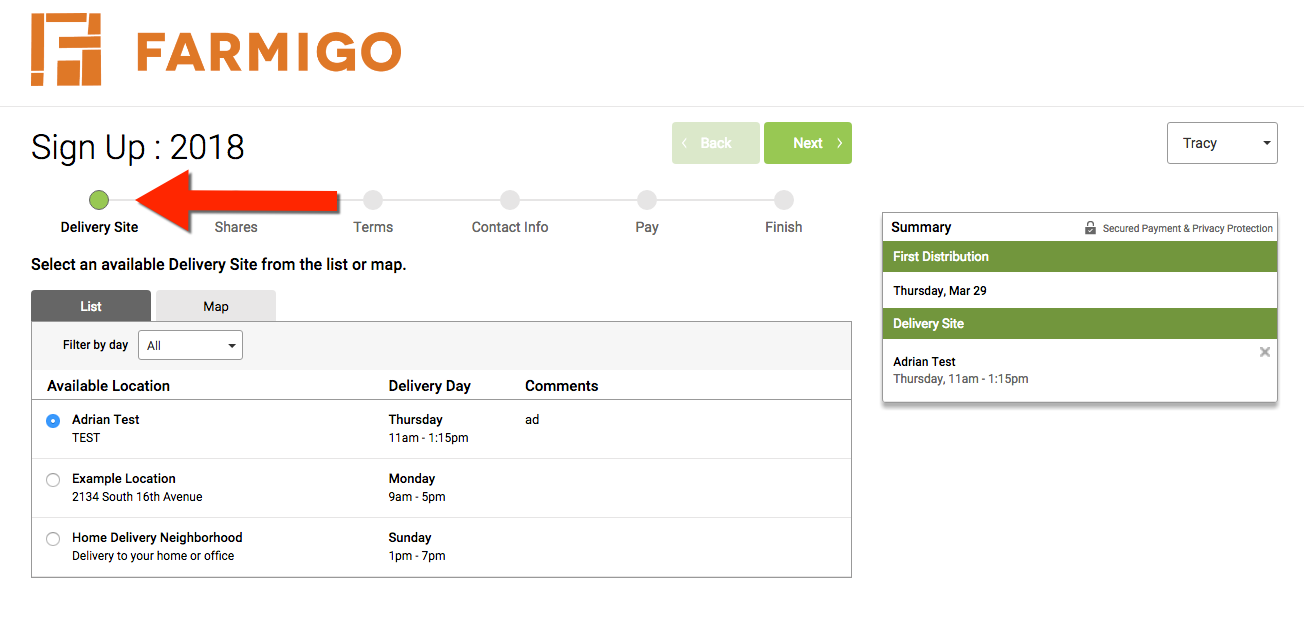
Enter text here to change the name of the first step of the sign-up process. The default text is "Pick-Up Site"
How can I customize my member links?
From the Customized Member Interface section of the General Settings page, you may edit certain items to change the appearance of your member links. To adjust these settings, click the Edit button in the upper right corner of the page.The first section of Customized Member Interface section will allow you to use html to customize your Farmigo member interfaces. This is an optional advanced step, to learn more click here.
1. Logo
This image will appear at the top of each of your member links.
2. Background Color
You may choose a background color for your logo that appears at top of your member links. Click here for samples
This image will appear at the top of each of your member links.
2. Background Color
You may choose a background color for your logo that appears at top of your member links. Click here for samples
3. Sign Up Comments Label
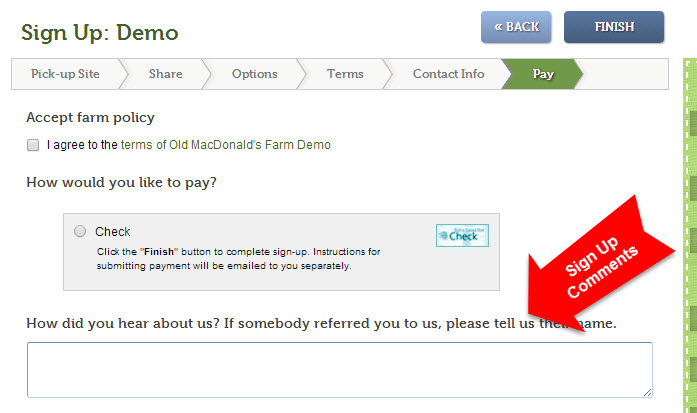
- When you enter something in this field, an open comment field will appear at the end of the signup process (join link). Members may enter a note before completing the signup process.
- You may use this field to ask your members specific questions.
- Learn more about how signup comments can help you manage deliveries
- Learn more about how you can reward members for referring other members
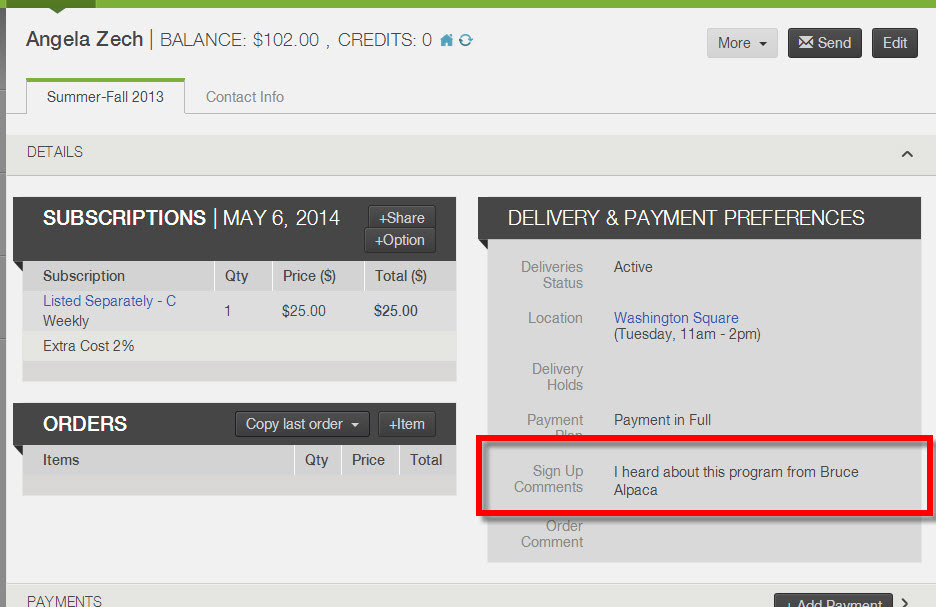
- The signup comments entered by members will appear under the Details header of their account in your dashboard. (See image at right)
- Signup comments will appear in the following reports:
- Distribution report where Breakdown by = Member
- Labels report when downloaded as a CSV file
If you charge a per delivery fee for a location, this is listed in the signup process by default as an "Extra Fuel Charge". To change the label for this fee, enter alternative text in this field and save changes.
5. Pick-up SiteEnter text here to change the name of the first step of the sign-up process. The default text is "Pick-Up Site"
Did this article answer your question?
You might also find these helpful
Still have questions?
Our support team is here.