Coupons: How do I create coupons?
How to Create a Coupon Code
1. Coupon Code - Go to the Settings tab --> Click + New Coupon. Complete the following fields, select Publish, and save changes; members will then be able to use the Coupon Code.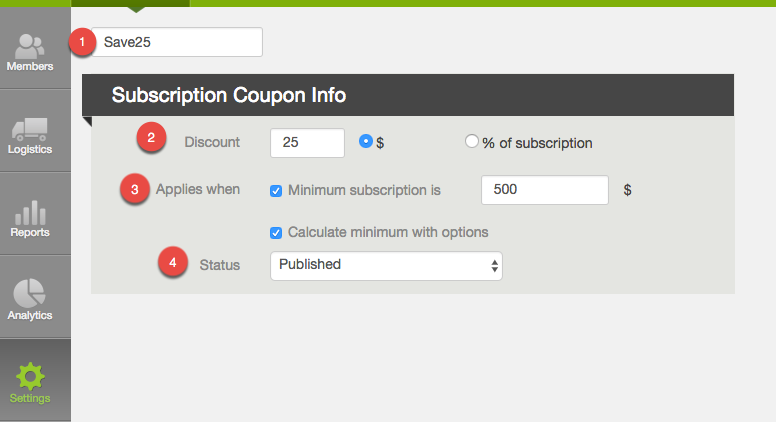
1. Coupon Code - What you enter here will be what the members use as the Coupon Code.
- The code is not case sensitive.
- The code must include at least one letter.
- The code may include letters and numbers.
- $ - Fixed Dollar Amount: The discount amount entered will act as flat dollar amount discount, which will be applied against the total amount owed when checking out from the sign-up process. The amount will be added as a complimentary payment to the member's account.
- % - Percentage Off Subscription: This percent discount will apply to the per delivery price of the shares and options selected by the member. This discount will apply to all deliveries unless the discount is removed from the dashboard.
- Minimum Subscription - set a minimum dollar amount a member must spend to use the coupon
- Calculate minimum with options - check this box if optional subscriptions apply to the minimum price
- Published: The coupon code is active and members may enter it during signup.
- Draft: The coupon code may not be used by members.
How a Member uses a Coupon Code
Once one of your coupon codes is published, the coupon code field will appear in the Terms step of the signup process (member join link). Members may select a payment plan, enter the coupon code, and click apply; then they will see the coupon code appear in their order summary.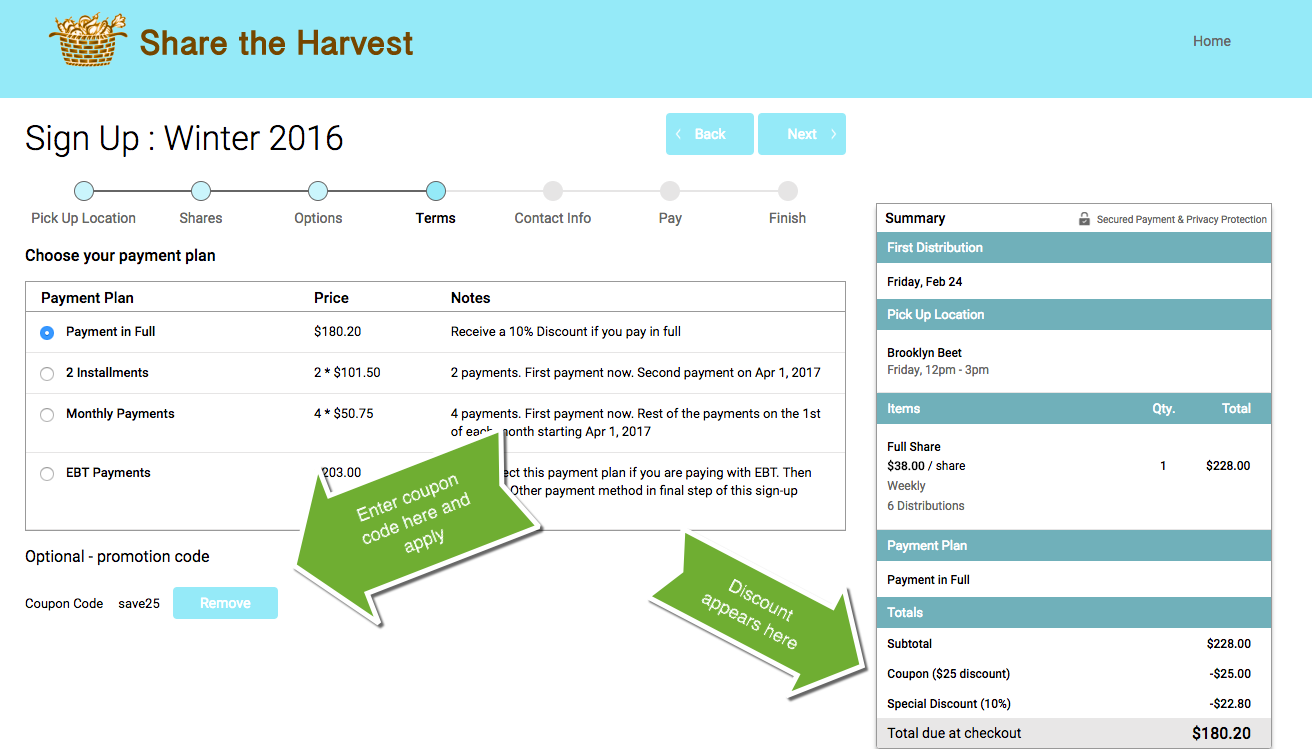
Did this article answer your question?
You might also find these helpful
Still have questions?
Our support team is here.